Help
Welcome to the Healthwise® Knowledgebase
The Healthwise® Knowledgebase includes health-related information that can help you make better health decisions.
- Understanding Topics
- Wise Health Decisions
- Medical Illustrations
- Actionsets
- Decision Points
Understanding Topics
If you think of the Healthwise® Knowledgebase as a library of health-related information, then topics are the library books-each containing information about a specific health condition, test, or medication.
How topics are organized
Most topics are organized in sections. These sections are similar to the chapters in a book.
Some sections you're likely to see are:
- Topic Overview: A general introduction to the topic.
- Symptoms: The common signs associated with the medical condition.
- Treatment Overview: Descriptions of the ways a condition can be treated at home or by a health care provider.
Navigating within a topic:
The topic title and the topic section name appear at the top of the page in the Healthwise® Knowledgebase. These headings can help you remember where you are within a topic.
Links within a topic: Often the text in a topic contains words that connect, or link, to pages with additional or related information. These links have a different color or appearance than the surrounding text. Some links take you to other parts of the same topic, and others take you to a different topic. Note that the topic title (at the top of each page) changes when you follow a link to a different topic.
Links in the Healthwise® Knowledgebase can also lead you to illustrations, Actionsets, Decision Points, and definitions.
Wise Health Decisions
People who are well informed prepare for their doctor visits and participate fully in their health care decisions. As a result, they have lower health care costs, get better care, and are happier with the health care system.
All of the topics in the Healthwise® Knowledgebase encourage you to take an active role in your health. The following topics describe some of the important skills and habits you can develop for dealing with health problems:
Medical Illustrations
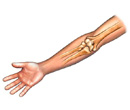 The
Healthwise® Knowledgebase contains more than 1,000
medical illustrations. These illustrations may help you better understand how
the body works and is affected by certain conditions.
The
Healthwise® Knowledgebase contains more than 1,000
medical illustrations. These illustrations may help you better understand how
the body works and is affected by certain conditions.
In most
versions of the Healthwise® Knowledgebase, a small
picture of a camera (
 ) indicates a
link to a medical illustration.
) indicates a
link to a medical illustration.
Links that don't work:If you click a link in a topic and nothing seems to happen, check the Options or Preferences for your Internet browser and make sure that JavaScript is turned on.
Actionsets
Actionsets are topics designed to help you or someone you care for take an active role in managing a health condition. Managing a health condition means taking a set of actions to better control the condition's effect on you and to prevent long-term problems.
Actionsets:
- Provide action-oriented tools and information that you can use in day-to-day management of your health conditions.
- Contain information that will help you better understand the effect of the actions you take.
What's included within an Actionset?
|
Section |
Information |
|
Introduction |
|
|
How |
|
Decision Points
Within the course of every illness or health problem, you have to make decisions—little decisions about whether to call a doctor and what self-care is best, and big decisions about medications, tests, and surgeries. Decision Point topics focus on medical care decisions you may face.
Decision Point topics help you understand the key information and important issues related to your decision. Before you can make an informed decision it's important that you:
- Fully understand the medical problem and testing or treatment options.
- Consider your personal values and preferences.
This information will help you work in partnership with your doctor. When both you and your doctor participate in the decision-making process, you'll reach the decision that best fits your needs and concerns.
What's included within a Decision Point?
Key points to remember
Key points are the core of a decision. They capture the most important information in the Decision Point and present it in an easy-to-understand format. Often, key points summarize compelling medical information, offer a concise look at risk versus benefit, explain possible short-term and long-term outcomes, cite expert recommendations, or even offer common-sense advice. The remaining sections in the Decision Point support the statements made in the key points.
FAQs
The"FAQs" section presents medical information in question-and-answer format. This section includes medical facts about the options presented in the Decision Point, such as:
- What's involved in each option.
- How well each option works.
- How factors such as stage of disease, health history, and age might affect the decision.
- What the clinical guidelines recommend.
Compare Options
The "Compare Options" section offers a side-by-side comparison table that allows you to directly compare the benefits and risks of each option. Personal stories about people who chose each option are included.
Your Feelings
The "Your Feelings" section helps you think about and express your feelings and preferences about the options.
Your Decision
The "Your Decision" section asks which option you are leaning toward, after having learned the key medical facts and thought about what matters to you.
Quiz Yourself
The "Quiz Yourself" section lets you check your knowledge of the facts. You can also express how confident you feel about making the decision and record any other concerns you may have.
Your Summary
The "Your Summary" section collects the information you have entered throughout the Decision Point so that you can review it and even make a printout to take to your next doctor's visit. Your doctor can use the summary page to see how well you understand the medical facts, what your personal feelings are about the decision, and which way you're leaning. You can also share the printout with anyone else whom you want to involve in the decision.
- Top of the page
-
Next Section:
Understanding Topics
-
Previous Section:
Welcome to the Healthwise® Knowledgebase - Top of the page
-
Next Section:
Wise Health Decisions
-
Previous Section:
Understanding Topics - Top of the page
-
Next Section:
Medical Illustrations
-
Previous Section:
Wise Health Decisions - Top of the page
-
Next Section:
Actionsets
-
Previous Section:
Medical Illustrations - Top of the page
-
Next Section:
Decision Points
-
Previous Section:
Actionsets - Top of the page

